

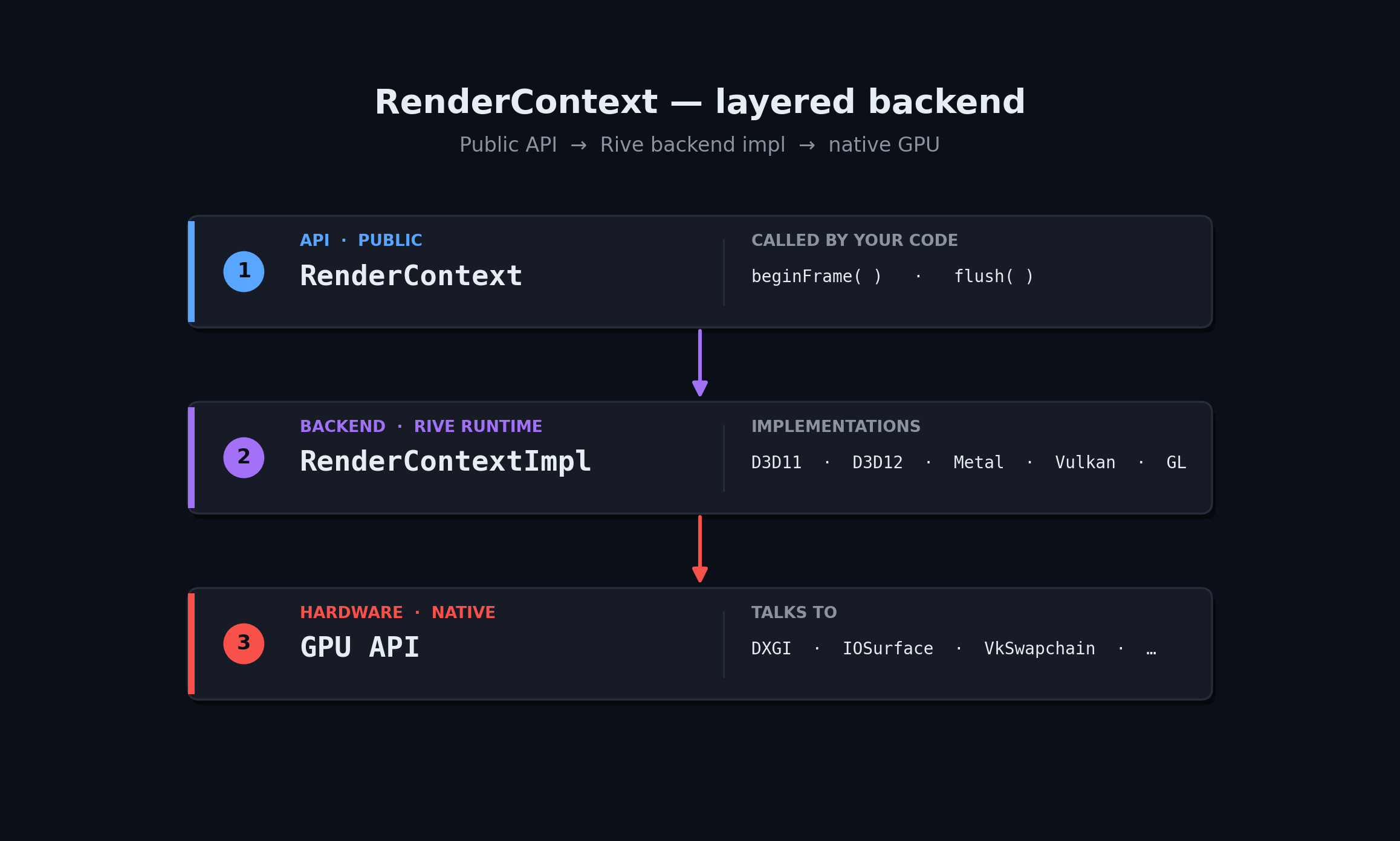
rive::gpu::RenderContext is the API-agnostic frontend to Rive’s GPU
renderer. You create one of the per-backend *Impl::MakeContext factories,
hand it to your render loop, and the rest of the C++ API stays identical.
RenderContext also implements rive::Factory, so the same object you pass to
File::import is the one that owns your GPU resources.
- D3D11
- D3D12
- Metal
- Vulkan
- OpenGL / WebGL
Header: Swap-chain notes:
rive/renderer/d3d11/render_context_d3d_impl.hpp- Set
BufferUsage = DXGI_USAGE_RENDER_TARGET_OUTPUT | DXGI_USAGE_UNORDERED_ACCESS. - Use
DXGI_FORMAT_R8G8B8A8_UNORM(or the_SRGBvariant); other formats may force the renderer onto an offscreen path. - Set
options.isIntel = trueon Intel HD Graphics — works around a driver bug in pixel-local-storage emulation.
tests/player
sample app and the D3D-specific wiring in
tests/common/offscreen_rendertarget_d3d.cpp.Picking Modes per Frame
RenderContext::FrameDescriptor carries flags that change the rendering
algorithm:
Most apps leave these at defaults. Override only when you see a specific issue
on a specific GPU.